Tying your marketing automation to social media is about more than just scheduling posts. It’s about turning all that engagement data—every click, comment, and message—into real, measurable revenue. This connection gives you a single, unified view of the customer’s journey, transforming social signals into business intelligence you can actually use.
Connecting Social Media to Your Revenue Engine

So many marketing teams park social media at the very top of the funnel, treating it as a channel for brand awareness and not much else. That’s a huge missed opportunity. The real magic happens when you start piping social data directly into your revenue stack.
When you do this, a “like” or a share is no longer just a vanity metric. It becomes a concrete data point. It flows from LinkedIn or Twitter into your marketing automation platform, syncs with your CRM, and ultimately lands in your data warehouse for modeling. You can finally see the entire picture.
The Modern Data Journey
Let’s walk through a real-world example. A prospect sees your latest ad on LinkedIn and clicks. In a siloed setup, that’s where the story ends. But in a fully connected system, that one click sets off a powerful chain reaction:
- Lead Enrichment: The prospect’s profile info—job title, company, location—gets automatically pulled and added to their record in your CRM.
- Behavioral Scoring: The click adds points to their lead score inside your marketing automation tool, flagging them as an engaged prospect.
- Personalized Nurturing: This action could trigger a specific email sequence or even ping a sales rep to reach out personally.
This entire flow, from a simple social interaction to a sales-ready lead, is only possible if your systems are designed to talk to each other. This takes a solid technical foundation built on APIs, webhooks, and some smart data pipelines.
A unified customer view isn’t just a “nice-to-have” for modern revenue teams; it’s a fundamental requirement for growth. Without it, you’re flying blind, unable to connect your social media spend to actual business outcomes.
The Key Players in Your Stack
To get this right, you need to understand how the core pieces of your tech stack fit together. It’s not just about flipping a switch; it’s about architecting a data flow that is both resilient and scalable.
Here’s a breakdown of the essential platforms and what they do in this integrated ecosystem.
Key Components of Your Integrated Tech Stack
| Component | Primary Function | Integration Point |
|---|---|---|
| Social Media Platforms | Top-of-funnel engagement and ad delivery. | Source of raw interaction and user data (via APIs). |
| Marketing Automation | Nurturing leads and scoring engagement. | Ingests social data to trigger workflows and personalize communication. |
| CRM (e.g., Salesforce) | Central hub for all customer and lead data. | Syncs bi-directionally with marketing automation for a complete view. |
| Data Warehouse (e.g., Snowflake) | Central repository for raw and transformed data. | Pulls data from all sources for advanced analytics and modeling. |
| Data Transformation (e.g., dbt) | Cleans, models, and prepares data for analysis. | Builds the final, reliable datasets for attribution and reporting. |
Getting these tools to play nicely together is the cornerstone of a data-driven marketing strategy. It’s what allows you to move from guessing to knowing.
The whole industry is headed this way. By 2025, social media management is expected to be the second most automated channel at 50%, right behind email. And for good reason—teams that use AI-driven workflows have been shown to double their leads and accelerate traffic.
The proof is in the numbers. A recent study found that 87% of marketers who integrate their CRMs with automation platforms feel confident in their strategies. Compare that to just 52% of those working with disconnected tools. You can find more insights about marketing automation trends on inbeat.agency. It’s clear: a connected stack isn’t just an advantage, it’s essential.
Building Resilient API and Webhook Connections
This is where the real engineering work starts—connecting the pipes between your social platforms and your revenue stack. It’s one thing to get a connection working, but it’s another thing entirely to make it bulletproof. A single failed webhook or an unhandled API error can quietly wreak havoc, leading to lost leads, skewed attribution, and a slow erosion of trust in your data.
Building resilient connections is all about preparing for when things inevitably go wrong. We’re moving past simple point-and-click setups and into the realm of proper systems design. You need a setup that can handle real-world chaos, from sudden traffic spikes to unexpected API changes from the social media platforms themselves.
Designing Webhook Payloads for Lead Enrichment
When a lead fills out a form on one of your social ads, that first webhook payload is your golden opportunity. Don’t just settle for name and email. Think of it as your first chance to build a rich profile. The goal is to grab every single piece of data available to supercharge that lead record from the moment it’s created.
For a LinkedIn Lead Gen Form, a solid payload should always include:
- Form and Campaign Identifiers: You absolutely need the
form_id,campaign_id, andad_id. This is non-negotiable for tracing a lead back to its exact origin and nailing your ROI calculations. - UTM Parameters: Make sure every ad’s destination URL is meticulously tagged with your UTMs (
utm_source,utm_medium,utm_campaign,utm_content,utm_term). Then, double-check that your webhook is configured to actually capture and pass them along. - Hidden Fields: I’m a big fan of using hidden fields in forms. They let you pass along static metadata that tells a bigger story, like the target persona this ad was for or the specific offer being promoted.
Getting this initial data capture right is foundational. It’s what feeds your lead routing, scoring, and personalization engines. If you get it wrong here, you’re starting with an incomplete picture that’s a real pain to fix down the line.
Managing API Rate Limits with Exponential Backoff
Social media APIs aren’t a free-for-all. Platforms like LinkedIn and X (formerly Twitter) have strict rate limits to keep their systems stable. If your integration starts hammering their servers with too many requests, you’ll get slapped with a 429 Too Many Requests error, and they’ll put you in a timeout.
A rookie mistake is to just wait a few seconds and try again. A much smarter, battle-tested strategy is exponential backoff.
Pro Tip: Exponential backoff is an elegant solution to temporary API outages. Instead of retrying at a fixed interval, you progressively increase the wait time after each failure. This gives the API time to recover and prevents your system from creating a “retry storm” that just makes the problem worse.
Here’s a simple way to think about the logic:
- First Failure: The API call fails with a
429. Wait for a short, slightly randomized interval, maybe 1-2 seconds. - Second Failure: The retry fails, too. Now you double the wait time to 2-4 seconds.
- Keep Trying: Continue doubling the wait time after each failure, but cap it at a reasonable maximum, like 60 seconds.
- Know When to Quit: If it’s still failing after 5-6 attempts, it’s time to stop. Log a critical error for a human to investigate. This “circuit breaker” stops your system from endlessly retrying a connection that might be permanently broken.
This single strategy will dramatically improve the resilience of your integration, ensuring that a temporary hiccup doesn’t turn into permanent data loss. If you want to go deeper on this, our complete guide to marketing automation integrations covers these design patterns in much more detail.
Ensuring Idempotency to Prevent Duplicate Data
Ever seen a user double-click a “submit” button out of impatience? Without the right safeguards, that simple action could create two identical leads in your CRM. Now you’ve got messy data, confused sales reps, and a poor experience for the prospect. The fix is building idempotent systems.
In simple terms, idempotency means that doing the same thing multiple times has the same effect as doing it just once. For our webhooks, this usually means passing a unique ID with every submission.
When your system gets a webhook, here’s the game plan:
- Look for a unique
lead_submission_idin the payload. - Before you do anything else, query your database. Does a record with this ID already exist?
- If it does exist, just send back a
200 OKsuccess response and do nothing else. The job is already done. - If it doesn’t exist, now you can create the new record and save the
lead_submission_idwith it.
This simple check is your best defense against duplicates caused by network glitches, user error, or even webhook retries from the social platform. It’s a fundamental concept for data integrity and a must-have for any integration that handles something as critical as new leads.
Get Your Data Flowing in Real Time
In this game, stale data is your worst enemy. A lead that’s even a few hours old has lost its heat, and that social media campaign you poured resources into might as well have never happened. To really connect the dots between your marketing automation and social media efforts, you need a data pipeline that’s alive, constantly moving, and updating your entire stack in near real-time.
Forget about those old-school, nightly data dumps from your CRM to your warehouse. By the time your analytics team gets their hands on it, the moment to act on a hot social signal is long gone. This is where modern data sync patterns give you a serious edge, turning your data from a dusty historical archive into a living, breathing strategic asset.
This is what a modern, resilient data flow looks like, from the initial ad click all the way to your CRM.
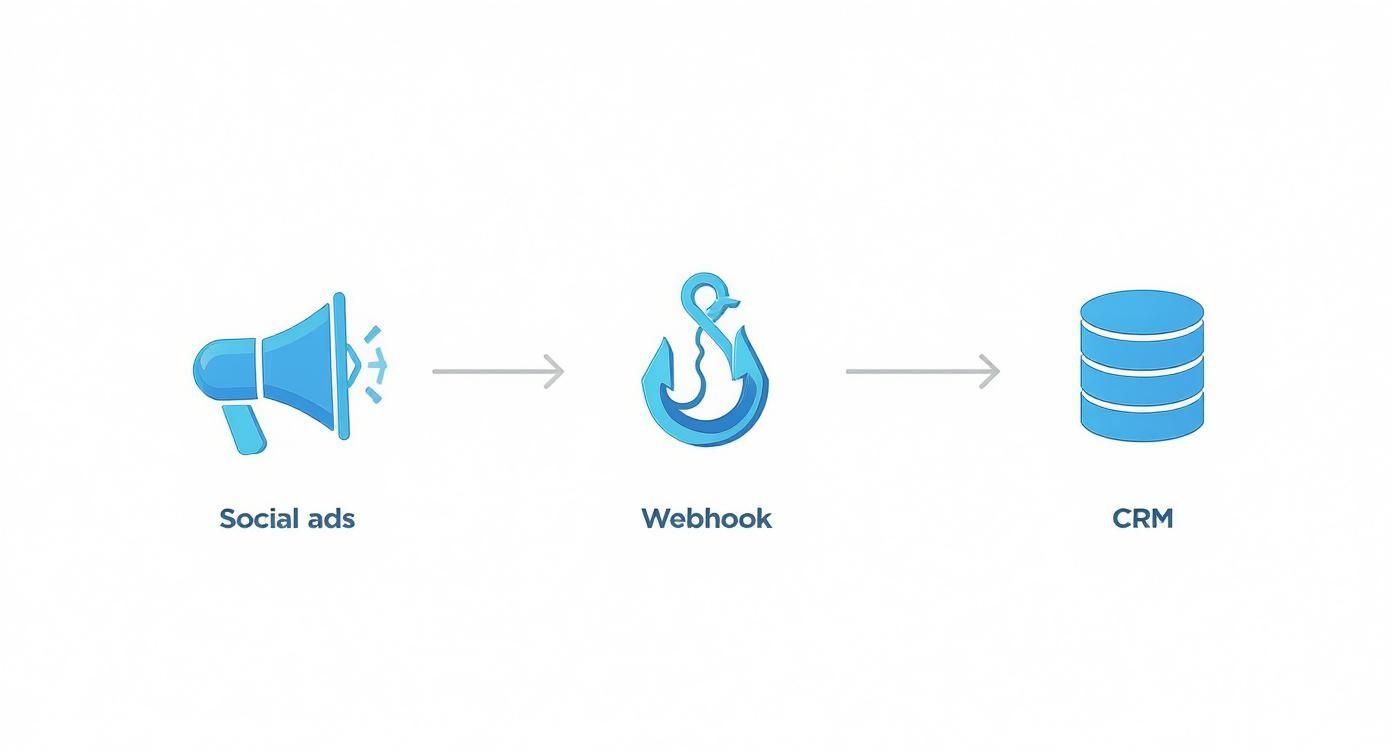
As you can see, the webhook acts as that critical real-time bridge. It ensures every single lead generated from a social ad is instantly captured and put to work by your core systems.
Capturing Every Single Change with CDC
Your first move toward real-time operations is getting Change Data Capture (CDC) in place. Think of CDC as a high-speed camera trained on your CRM database. Instead of taking a full, clunky snapshot every 24 hours, it records every tiny change—an updated email, a new phone number, a status flip—the second it happens.
This constant stream of change events gets pushed to your data warehouse, like Snowflake, almost instantly. This means your analytics are always based on what’s happening right now. For example, when a sales rep updates a lead’s status from “MQL” to “SQL” in Salesforce, that change hits your warehouse in seconds, not hours. This is how you build dashboards and attribution models that are genuinely up-to-the-minute.
Unleashing the Power of Bi-Directional Sync
While CDC keeps your analytics sharp, the real magic happens with bi-directional sync. This is where the data doesn’t just flow out of your CRM; it flows back in from other systems and then back out again to your engagement tools. It’s what makes your data truly actionable.
Let’s walk through a scenario I see all the time:
- A prospect clicks a LinkedIn ad and lands in your marketing automation platform.
- Your sales team engages, learns more, and enriches their profile in the CRM, adding a new job title and industry.
- With bi-directional sync, that valuable new data automatically flows back to your marketing automation tool.
Suddenly, a powerful new workflow kicks in. The system now knows this lead is a “VP of Engineering” in the “Fintech” space. It can immediately add them to a hyper-targeted ad campaign on X (formerly Twitter) built just for that persona. You’re creating deeply personal journeys at scale. Without that two-way data flow, the crucial intel your sales team gathered would just sit in the CRM, completely invisible to your marketing campaigns.
A well-designed bi-directional sync turns your CRM from a simple database into a dynamic intelligence hub. Every piece of data your teams add becomes fuel for smarter, more effective social media marketing.
Designing a Schema That Won’t Break
None of this works if your data schema isn’t up to the task. Don’t just cram social data into generic, pre-existing fields in your CRM. That’s a recipe for disaster. Instead, build out dedicated custom objects or tables to model these interactions properly.
A solid schema for social touchpoints should always include fields for:
- Platform: LinkedIn, X, Facebook, etc.
- Interaction Type: Ad Click, Post Like, Direct Message, Comment.
- Campaign and Ad IDs: The specific social campaign and ad that drove the interaction.
- Timestamp: The exact date and time of the event.
- Content URL: A direct link to the post or ad they engaged with.
This structured approach makes building reliable attribution models down the line infinitely easier. It also sets your data up perfectly for enrichment. If you want to go deeper, our guide on B2B data enrichment strategies is a great next step for structuring data for maximum impact.
There’s a reason the market for these tools is exploding. The social media automation tool market hit USD 4.5 billion in 2024 and is projected to rocket to USD 12.8 billion by 2033. This growth is driven by real results: automated campaigns typically see a 20-30% lift in engagement, and marketing teams report a 14.5% boost in productivity. You can find more social media automation stats and trends on templated.io. The numbers don’t lie—sophisticated, real-time integrations are no longer optional.
Building Attribution Models That Prove ROI
Let’s talk about the holy grail: connecting your social media hustle to actual, closed-won revenue. This is the final, crucial step that transforms your social strategy from a perceived cost center into a provable revenue engine. Without it, you’re stuck reporting on vanity metrics like clicks and likes—numbers that won’t move the needle with your CFO or justify next year’s budget.
Building a solid attribution model is all about translating that massive pile of interaction data sitting in your warehouse into a clear, compelling story about the customer journey. It’s how you definitively show that the LinkedIn ad your team launched last quarter directly influenced that enterprise deal that just closed. It’s about turning isolated data points into a connected narrative.
From Raw Clicks to Meaningful Touchpoints
First things first, we have to stop thinking in terms of raw clicks. A click isn’t a touchpoint; it’s just the raw material. The real work happens inside your data warehouse, where a dbt model should be set up to transform this raw data, layering on the context it needs to become useful for attribution.
This model’s job is to stitch together the clickstream data from your social platforms with the records from your CRM and marketing automation platform. For every single interaction, you need to be able to answer a few critical questions:
- Who is this person? Can we tie this anonymous click ID to a known lead or contact?
- What campaign drove this? Which specific ad, organic post, or broader campaign sparked this engagement?
- When did it happen? The timestamp is everything for accurately sequencing the customer’s journey.
By answering these questions, you elevate a simple ad_click event into a rich, contextualized touchpoint. This is the bedrock of any multi-touch attribution model worth its salt.
Distinguishing First Touch from Last Touch
Here’s a truth every experienced marketer knows: not all touchpoints are created equal. An initial “first-touch” that introduces a prospect to your brand for the very first time is fundamentally different from a “last-touch” click right before they request a demo. Your model has to be smart enough to tell them apart.
For instance, a prospect’s journey might start with them clicking a LinkedIn ad. Your model should flag this as the First-Touch Source. Weeks later, they might click a link shared by one of your community managers on X—that’s a critical Influencing Touchpoint. Finally, they convert after clicking a link in a hyper-targeted email, which becomes the Last-Touch Source.
By modeling these distinct touchpoint types, you can assign credit intelligently across the entire journey. This approach saves you from the classic mistake of giving 100% of the credit to the final action, which completely ignores all the hard, upfront brand-building work your social team delivered.
Powering Sales with Automated Lead Enrichment
Beyond just proving ROI, this integrated data flow can be a massive force multiplier for your sales team. As social data pours into your system, you can build incredibly powerful, automated workflows for lead enrichment and scoring. This is where the synergy between marketing automation and social media really shines.
Picture this: a new lead comes in from one of your social ads. In seconds, your system can automatically:
- Enrich the Record: Pull their job title, company name, and company size straight from their social profile.
- Score the Lead: If their title is “VP of Engineering” and their company has over 500 employees, the system instantly assigns a high lead score.
- Route and Alert: The lead is immediately assigned to the right sales rep, who gets a Slack notification packed with all this rich context.
This process turns a cold lead into a hot, well-understood prospect in a heartbeat. Your sales team can now start conversations with incredible context, referencing the specific content or ad the prospect engaged with. That level of personalization is an absolute game-changer for conversion rates. For a deeper dive, check out our guide on building these kinds of data-driven marketing solutions.
Given the sheer scale of social media today, these automated systems are no longer a luxury—they’re a necessity. With social ad spend projected to hit a staggering $276.7 billion by 2025, the volume of interactions is only going up. Add in the fact that 49% of consumers now make purchases based on influencer recommendations, and you can see how manual tracking becomes impossible. It’s why 66% of marketers report better results when using AI-powered automation. Building a robust, automated attribution framework is the only sustainable way to prove your impact in this complex world.
Keeping Your System Healthy with Smart Monitoring
You can build the most elegant data pipelines in the world, but they’re completely useless if you can’t trust them to work. An automated system that fails silently is a massive liability. This is the final, crucial piece of the puzzle: building rock-solid confidence in your infrastructure through smart, proactive monitoring. It’s how you ensure your social media and marketing automation engine keeps humming long after you’ve deployed it.
https://www.youtube.com/embed/Ay2mJBdVbCA
Without it, small hiccups—a single failed webhook or a temporary API outage—can quickly snowball into major data headaches. Leads disappear into the ether, attribution models become a work of fiction, and your teams start to lose faith in the very tools meant to make their lives easier. This isn’t just about catching bugs; it’s about protecting the integrity of your entire revenue data stack.
Building Your Observability Stack
Getting started with observability doesn’t require a six-figure budget. The real goal is to get a clear line of sight into the critical handoffs between your systems—from social platforms to your CRM, and finally into your data warehouse. Think of a good starter stack as the EKG for your integration’s pulse.
I’d recommend focusing your toolkit on three core areas:
- API Health: You absolutely need to know the second the LinkedIn or Salesforce API starts throwing
503errors. Tools like Datadog or Prometheus are perfect for keeping tabs on the external APIs you rely on. - Webhook Success Rates: For every webhook endpoint you’ve built, you should be tracking the ratio of successful (200 OK) to failed (4xx or 5xx) responses. A sudden nosedive in your success rate is often the first sign something’s wrong.
- Data Pipeline Latency: How long does it actually take for a new lead from a social ad to land in your Snowflake warehouse? Monitoring this end-to-end latency is a fantastic health metric for your entire data flow.
These pieces fit together to create a safety net, transforming those scary “unknown unknowns” into quantifiable, actionable alerts.
I’ve learned this the hard way: building a great integration is only half the job. The other half is proving it works reliably, day in and day out. Smart monitoring isn’t just a nice-to-have; it’s a non-negotiable for any mission-critical system.
Key Metrics and Intelligent Alerting
Once your tools are in place, the real art is tracking the right metrics and setting up alerts that are genuinely helpful, not just noisy. Alert fatigue is a killer for any engineering team, so you have to be strategic about what warrants a late-night page versus a simple Slack notification. The aim here is to find out about problems before your stakeholders do.
Start with these indicators. They give you a solid, high-level view of what’s happening across your stack.
Essential Monitoring Metrics for Integration Health
Here’s a breakdown of the critical metrics I always recommend keeping an eye on. They provide a comprehensive view across your stack, from the initial API call to the final data sync.
| Metric | Tool/Platform | Why It Matters | Alert Threshold Example |
|---|---|---|---|
| API Error Rate | Datadog, Grafana | A rising error rate is a clear signal of trouble, either with an external service or with bad requests your system is sending. | Alert if the rate of 5xx errors exceeds 2% over a 5-minute window. |
| Webhook Latency | Custom Logs, New Relic | Slow webhook responses can cause timeouts and data loss from the source platform, which might stop trying to send you data. | Trigger a warning if the P95 response time climbs over 500ms. |
| Data Sync Delay | dbt, Monte Carlo | This measures the real-world gap between an event happening in the CRM and it appearing in the warehouse. It keeps analytics fresh. | Fire a critical alert if the sync delay surpasses 15 minutes. |
| Dead Letter Queue (DLQ) Size | AWS SQS, RabbitMQ | This tracks the pile-up of messages (like webhook payloads) that failed processing after multiple retries. It’s your last line of defense. | Alert a human to investigate if the queue size grows beyond 10 messages. |
Remember, intelligent alerting is all about setting thresholds that reflect actual business impact. One failed webhook is no big deal. Twenty in five minutes? That’s probably a crisis.
Creating a Practical Runbook
When an alert inevitably fires at 2 AM, the last thing your on-call engineer needs is to go digging through old Slack threads for context. This is exactly why a runbook is so essential. It’s a living document that gives people clear, step-by-step instructions for troubleshooting and fixing common failures.
Your runbook should live somewhere central and easy to find, like a Confluence page or a GitHub wiki. It needs to cover the most likely failure scenarios. For instance, what’s the game plan if the Salesforce API goes down? The runbook should provide a simple checklist:
- Confirm the Outage: First things first, check the official Salesforce status page. Don’t assume it’s your code.
- Pause Dependent Workflows: Immediately disable any jobs that push data to Salesforce. This prevents a massive backlog of failures from piling up.
- Notify Stakeholders: Post a quick, clear message in a designated Slack channel to give marketing and sales ops a heads-up.
- Monitor for Recovery: Keep an eye on the status page and your own dashboards to see when things return to normal.
- Re-enable and Re-process: Once the API is stable, turn the workflows back on and map out a plan to re-process any failed records from your dead letter queue.
A detailed plan like this turns a high-stress incident into a calm, methodical response. It dramatically minimizes downtime and data loss, and it’s the final step in deploying your integration with the confidence that it’s not only powerful but also resilient.
Got Questions? We’ve Got Answers.
When you start connecting social media to your marketing automation and data stack, a ton of questions pop up. It’s a tricky space where engineering and RevOps have to work together closely. Here are some of the most common hurdles we see teams face, along with some practical advice from the trenches.
How Do You Handle All the Different Data from Each Social Platform?
It’s tempting to try and jam all your social data into a single, one-size-fits-all schema, but that’s a classic mistake. The info you get from a LinkedIn Lead Gen Form looks nothing like the engagement data from an organic X (formerly Twitter) post. Trying to force them together from the start just creates a mess.
A much cleaner approach is to build separate ingestion models for each platform right inside your data warehouse. You might end up with a stg_linkedin_leads and a stg_twitter_mentions model. From there, you can use a tool like dbt to create a unified fct_social_touchpoints model downstream. This new model standardizes the essentials—things like user_id, platform, interaction_type, and timestamp—while letting you keep all the platform-specific metadata neatly tucked away in JSON columns for later.
What’s the Safest Way to Test Webhooks Before They Go Live?
Whatever you do, don’t point a brand-new webhook at your production environment. That’s a recipe for corrupting live data. You absolutely need a solid, repeatable testing workflow.
Our go-to tool for this is ngrok. It lets you safely expose your local development server to the internet, so you can receive real webhook payloads from social platforms right on your own machine. This is huge. You can see the exact data structure, test your validation logic, and squash bugs in a totally controlled space. Once everything looks good locally, push your endpoint to a staging environment for one last end-to-end check before flipping the switch to production.
Pro Tip: Build an “event replay” system from day one. Seriously. Store every raw, unprocessed webhook payload in a dedicated Amazon S3 bucket or a “raw” table in Snowflake. If you find a bug in your processing logic down the road, you can simply replay all those historical events through the fixed code. No data loss, no headaches.
How Should We Store Social Media API Keys Securely?
Please, don’t hardcode API keys or access tokens directly in your application code. It’s a massive security hole just waiting to be exploited. These credentials need to be managed by a proper secrets management service.
Here are a few solid options the pros use:
- AWS Secrets Manager: A fully managed service that handles rotating, managing, and retrieving secrets for you.
- HashiCorp Vault: An incredibly powerful open-source tool for centralizing secrets, encryption, and access control.
- Your CI/CD platform’s secrets store: Tools like GitHub Actions or GitLab CI/CD have secure ways to store secrets that only get injected when you build or run your code.
Using a secrets manager keeps your sensitive credentials completely separate from your codebase, which is a non-negotiable security practice. It also makes it way easier to rotate keys and manage access across different environments (dev, staging, prod). This isn’t just a “nice-to-have”; it’s fundamental for building a secure and reliable bridge between your martech and social channels.
Building and maintaining these kinds of resilient, production-grade data pipelines is exactly what we do at RevOps JET. We offer on-demand revenue operations engineering to handle everything from custom API integrations and CDC pipelines to dbt modeling and CRM architecture—all for a fixed monthly fee. If you need to connect your social media data to your revenue stack without the cost and hassle of a full-time hire, check out our solutions for RevOps teams.