Your sales conversion rate is more than just a number—it’s the pulse of your sales engine. It tells you exactly how good your team is at turning a “maybe” into a “yes.” Get this right, and you’re on your way to building a far more predictable and powerful revenue machine.
What Is Sales Conversion Rate Really Measuring?

Imagine your company is a popular local bakery. Plenty of people walk by and peek in the window (your website visitors or raw leads). A smaller group steps inside to check out the goods (qualified leads). But the only ones who really matter are those who walk out with a pastry in hand—those are your conversions.
The sales conversion rate is that final report card for your entire sales process. It cuts straight past all the vanity metrics like calls logged or emails opened and zeroes in on what actually moves the needle: turning genuine interest into cold, hard revenue.
The Classic Formula and Why It Matters
At its heart, the calculation is refreshingly simple. It’s all about the ratio of wins to your total number of at-bats.
The go-to formula for sales conversion rate is: (Total Conversions / Total Leads) x 100 = Sales Conversion Rate %
But for this formula to mean anything, you have to be crystal clear on your definitions. What counts as a “lead,” and what officially qualifies as a “conversion”? The answer changes from one business to the next.
Let’s quickly break down the key pieces of this equation.
Key Components of Sales Conversion Rate
This table breaks down the fundamental elements of the sales conversion rate formula.
| Component | Definition | Example |
|---|---|---|
| Total Conversions | The number of leads that successfully completed the desired sales action. | For a B2B SaaS company, this would be the 50 annual contracts signed in a quarter. |
| Total Leads | The total pool of prospects you are measuring against within a specific timeframe. | This could be the 500 qualified prospects who completed a product demo in that same quarter. |
| Conversion Rate | The resulting percentage, showing the efficiency of your sales process. | (50 Conversions / 500 Leads) x 100 = 10% Conversion Rate |
As you can see, a vague definition for either component turns your conversion rate into a vanity metric that looks good but tells you nothing. Nailing down these terms is the first, most critical step.
How Do Your Numbers Stack Up?
So you’ve calculated your rate. Now what? Knowing your number is one thing, but understanding if it’s good or bad requires context. That’s where industry benchmarks come in.
For example, the average global eCommerce conversion rate usually hovers somewhere between 2% and 4%. Think about that—for every 100 people who visit an online store, only two to four actually buy something. If you want to dive deeper, you can discover more insights on global conversion benchmarks and see how you compare.
This kind of context is invaluable. It helps you set realistic goals and tells you whether your performance is ahead of the curve, lagging behind, or just plain average. It turns a simple internal metric into a true competitive yardstick.
Moving Beyond a Single Conversion Rate
Relying on a single, company-wide sales conversion rate is like trying to navigate a city with a map that only shows the borders. You know the general shape, but you have no idea what’s happening on the streets—where the traffic jams are, which roads are moving fast, and where you’re losing precious time. That one number completely hides the real story of your sales performance.
A simple 5% overall conversion rate might not sound terrible, but it could be masking a huge problem. What if one star sales rep is closing deals at 15%, while the rest of your team is struggling at a measly 2%? A single, blended average completely papers over that critical performance gap.
To get the true picture, you have to move beyond this blended metric. It’s time to start slicing your data into meaningful segments. This is how a simple score transforms into a powerful diagnostic tool, helping you pinpoint exactly what’s working and what’s broken.
Why Segmentation Unlocks Real Insight
Segmentation is simply the act of breaking down your broad conversion rate into smaller, more focused metrics. Instead of one number, you get a dashboard of rates that tell a much richer, more interesting story. This approach lets you ask smarter, more specific questions of your data.
Think of it like a doctor running a series of specific tests instead of just taking your temperature. A fever tells you something is wrong, but it doesn’t tell you what. Segmentation gives you the detailed lab results you need for an accurate diagnosis.
Here are some of the most effective ways to segment your sales conversion rate:
- By Lead Source: Are leads from organic search converting better than those from paid ads or outbound campaigns? This tells you which channels are actually delivering valuable, sales-ready prospects.
- By Sales Rep: Analyzing individual and team performance helps you spot your top performers (who can mentor others) and identify reps who might need a bit more coaching.
- By Product Line: If you sell multiple products, you need to know which ones fly off the shelves and which ones have a tougher sales cycle.
- By Customer Segment: Do SMBs convert differently than enterprise clients? What about customers in different industries? Segmenting here helps you sharpen your targeting.
Breaking Down the Funnel Stage by Stage
Beyond just segmenting your audience, the real magic happens when you dissect the sales funnel itself. Prospects don’t just show up and then either buy or vanish—they move through distinct stages. Measuring the conversion rate between these stages is absolutely critical.
A prospect’s journey is not a single leap but a series of steps. Measuring the conversion between each step reveals exactly where people are stumbling and falling out of the funnel. This stage-by-stage analysis is the foundation of modern RevOps.
Two of the most essential funnel-stage conversion rates are Lead-to-Opportunity and Opportunity-to-Close.
1. Lead-to-Opportunity Conversion Rate This metric measures how effective your initial qualification and discovery process is. It answers the question: “How good are we at turning a spark of interest into a serious sales conversation?”
- Formula: (Total Opportunities Created / Total Qualified Leads) x 100
- What it tells you: A low rate here could point to issues with lead quality, slow follow-up from the sales team, or a major disconnect between what marketing is promising and what sales is delivering.
2. Opportunity-to-Close Conversion Rate This one evaluates your team’s ability to guide a deal from a qualified pipeline stage all the way to a signed contract. It answers the question: “Once we have a real opportunity, how often do we actually win the business?”
- Formula: (Total Deals Won / Total Opportunities Created) x 100
- What it tells you: If this number is low, you might have problems with your sales process, product demos, negotiation skills, or even your competitive positioning in the market.
By tracking both, you can quickly figure out if your biggest bottleneck is at the top of the funnel (generating qualified opportunities) or at the bottom (closing them). That clarity is power—it lets you focus your resources on the exact area that will have the biggest impact on revenue.
Building Your Data Pipeline for Accurate Tracking
If you want to calculate a sales conversion rate you can actually trust, you need a data foundation built on solid ground, not quicksand. Guesswork and messy spreadsheets just won’t cut it. For any RevOps engineer, building this infrastructure is the first, most critical step toward trustworthy analytics. It’s all about creating a clean, automated flow of data from where it’s created to where you’ll analyze it.
That journey almost always starts in your CRM, which for most B2B companies is Salesforce. Think of it as ground zero for all raw sales activity. Before you can measure anything, you have to pinpoint the exact objects and fields that tell the story of a deal’s lifecycle.
It’s like trying to understand a library full of sales stories—to get the plot, you have to pull the right books off the shelf first.
Starting at the Source in Salesforce
Your analysis is going to revolve around two core Salesforce objects: Leads and Opportunities. These are the records that track every prospect’s journey, from a flicker of initial interest all the way to a final decision.
Within those objects, a few key fields are absolutely non-negotiable for tracking conversion:
- Lead Status: This tracks the very first steps of a prospect’s journey, long before they’re a qualified sales opportunity.
- Opportunity Stage: This is the big one. It’s the most critical field for any funnel analysis, showing how a deal moves from qualification to close.
- CreatedDate: The timestamp for when a lead or opportunity record was first created is essential for doing any kind of cohort analysis.
- CloseDate: This tells you precisely when an opportunity was marked as ‘Closed Won’ or ‘Closed Lost,’ giving you the definitive endpoint for conversion.
- Lead Source: This field is vital for slicing and dicing your conversion rates to see which marketing channels are actually delivering the goods. To learn more about this, check out our guide on how to select and track the right KPIs for lead generation.
Once you’ve locked down these critical data points, the next job is to get them out of Salesforce and into a system built for real, powerful analysis.
From CRM Extraction to a Central Warehouse
Leaving your data siloed in Salesforce is like trying to cook a gourmet meal on a single hot plate—it’s clunky, limiting, and just plain inefficient. To do any kind of sophisticated analysis, you need to centralize this data in a dedicated data warehouse. Snowflake is a popular and seriously powerful choice for modern data stacks.
The goal isn’t just to move data around. It’s about creating a single source of truth. When your data from sales, marketing, and product all live together in one place, you can finally see the complete customer journey and measure your sales conversion rate with full context.
This extraction process, often handled with a Change Data Capture (CDC) pipeline, makes sure that any update in Salesforce—a stage change, a new lead—is automatically synced over to your Snowflake warehouse. What you get is a near real-time, historical record of your entire sales funnel.
This is the high-level flow your data pipeline is designed to measure: from a new lead all the way to a closed deal.
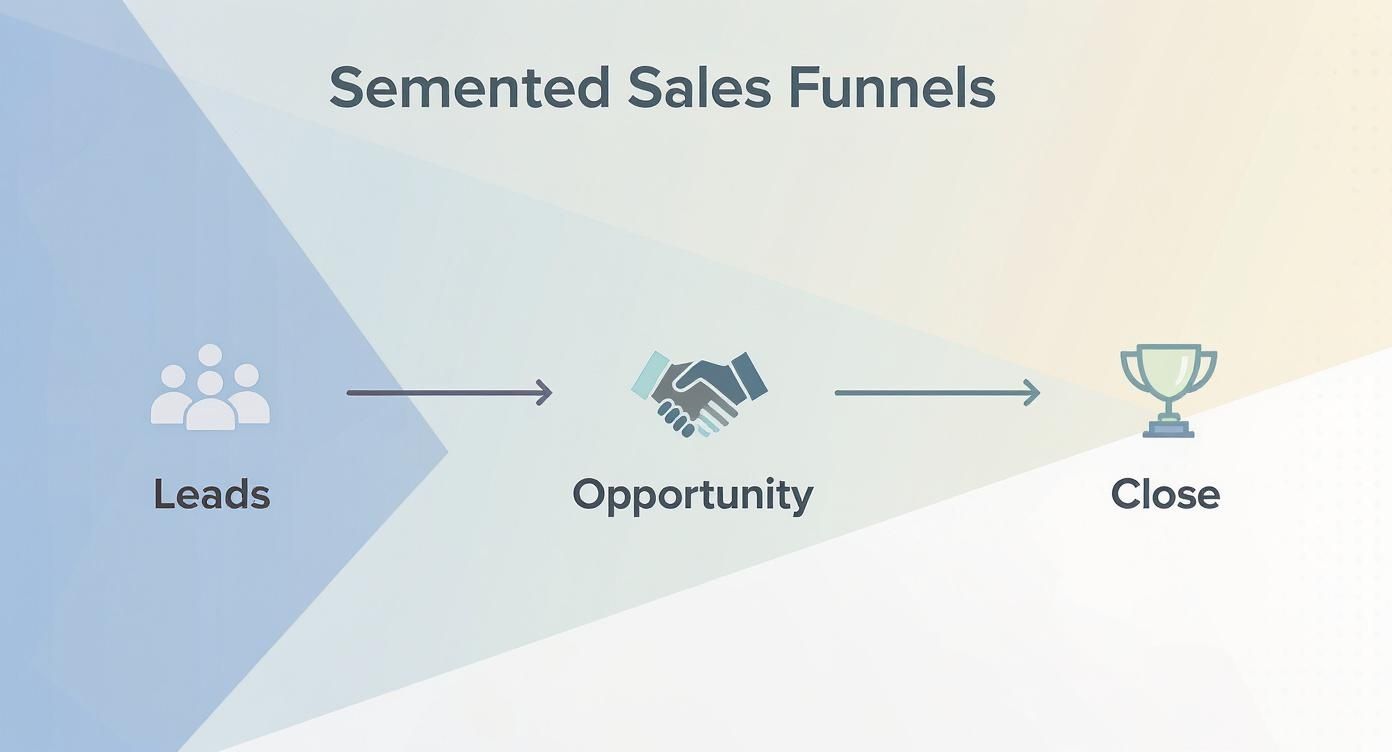
By structuring your data to mirror this funnel, you can calculate the conversion rate between each and every stage.
Transforming Raw Data with dbt
Okay, so your raw Salesforce data is now flowing into Snowflake. Great. But the real work is just beginning. This raw data is often messy, inconsistent, and nowhere near ready for analysis. This is where dbt (data build tool) becomes the star of the show.
dbt is a fantastic tool that lets you transform all that raw, clunky data into clean, reliable, and analysis-ready tables (often called “models”) using simple SQL SELECT statements.
It’s what allows data teams to apply software engineering best practices—like version control, testing, and documentation—to their analytics code. For calculating sales conversion rates, your dbt models will handle a few crucial transformations:
- Cleaning and Standardizing: Your first dbt models are all about basic hygiene. This means casting data types correctly (like making sure
CloseDateis actually a date), renaming cryptic API field names into something a human can read, and deciding how to handle null values. - Joining Objects: You can’t analyze leads and opportunities in total isolation. A core dbt model would join the raw Lead and Opportunity tables together to create a unified view, linking the original lead information to the opportunity it eventually became.
- Creating a Funnel Model: The final piece of the puzzle is building an aggregated model specifically for conversion analysis. This model would count how many opportunities entered each stage and calculate the time they spent there, giving you the clean, final numbers needed for your conversion rate calculations.
This structured pipeline—from Salesforce to Snowflake to dbt—is the technical backbone of accurate sales analytics. It’s how you replace manual data pulls and error-prone spreadsheets with a reliable, automated system that gives you numbers you can actually trust to make strategic decisions.
Essential SQL and dbt Models for Analysis
https://www.youtube.com/embed/B8uwFmVt4sU
Okay, so your data pipeline is humming along nicely. Now for the fun part: turning all that clean, organized data into insights you can actually use. This is where we get our hands dirty with the SQL queries and dbt models that bring your conversion rate metrics to life.
We’re going to bridge the gap between the raw data sitting in your warehouse and the business questions you need to answer. I’ll walk you through some practical code examples you can steal and adapt for your own analytics stack. We’ll start with a foundational model for the big-picture conversion rate and then get more granular with segmented, funnel-stage analysis.
Your Core dbt Conversion Model
First things first, you need a single source of truth for your opportunity data. The goal is to build a core dbt model that pulls together all the relevant information from your raw Salesforce tables, tidies it up, and gives you a unified view of every single deal’s journey.
Let’s say you have raw tables like sfdc_leads and sfdc_opportunities synced over to Snowflake. A great starting point is an intermediate dbt model—we can call it int_opportunities_unioned—that combines your converted leads with your existing opportunities.
— models/intermediate/int_opportunities_unioned.sql
with leads as ( select lead_id, converted_opportunity_id, created_date, lead_source from {{ source(‘salesforce’, ‘leads’) }} where is_converted = true ),
opportunities as ( select opportunity_id, created_date, lead_source, amount, stage_name, is_won, close_date from {{ source(‘salesforce’, ‘opportunities’) }} )
select * from opportunities — Additional logic to union or join with converted leads
This model preps the data. From here, we can build our final dimensional model, let’s call it dim_opportunities, which layers on the business logic needed to calculate the sales conversion rate.
— models/marts/dim_opportunities.sql
with opportunities as ( select * from {{ ref(‘int_opportunities_unioned’) }} )
select opportunity_id, created_date, close_date, lead_source, stage_name, is_won,
-- Calculate the time to close for won deals
case
    when is_won then datediff('day', created_date, close_date)
end as days_to_close
from opportunities
Once you have this clean dim_opportunities model in place, figuring out your overall conversion rate is refreshingly simple.
(COUNT(CASE WHEN is_won THEN opportunity_id END) * 1.0 / COUNT(opportunity_id)) * 100
That one line of SQL, run against your shiny new dbt model, delivers a trustworthy, company-wide sales conversion rate you can stand behind.
Advanced Queries for Deeper Funnel Insights
A single, top-line number is a good start, but the real magic happens when you start slicing and dicing the data. By adding GROUP BY clauses to your queries, you can break down your conversion rate by any dimension you’ve built into your dim_opportunities model.
Want to see how different lead sources perform? Easy.
select lead_source, count(opportunity_id) as total_opportunities, count(case when is_won then 1 end) as total_wins,
-- Calculate conversion rate for each source
(count(case when is_won then 1 end) * 1.0 / count(opportunity_id)) * 100 as conversion_rate
from {{ ref(‘dim_opportunities’) }} group by 1 order by 4 desc;
A query like this instantly tells you which channels are bringing in the highest-quality opportunities, making it much easier to decide where to allocate your marketing budget. As you dig in, it helps to be familiar with a range of examples of sales KPIs to understand all the different ways you can measure success.
Measuring Funnel Stage Velocity
Another incredibly powerful analysis is looking at the conversion rate between each stage of your sales funnel. This is how you pinpoint exactly where deals are getting stuck or falling through the cracks.
To pull this off, you’ll need a model that tracks the history of an opportunity’s stage changes. This usually means tapping into a table like Salesforce’s OpportunityFieldHistory. You can then build a dbt model, something like fct_opportunity_stage_velocity, to calculate how long each opportunity spends in each stage.
— models/marts/fct_opportunity_stage_velocity.sql
select opportunity_id, from_stage, — The stage the opportunity moved from to_stage, — The stage the opportunity moved to datediff(‘day’, created_date, new_value_timestamp) as days_in_stage from {{ source(‘salesforce’, ‘opportunity_field_history’) }} where field = ‘StageName’
With a model like this, you can build reports that clearly visualize how deals are moving—or not moving—through your pipeline.
Funnel Stage Conversion Rate Queries
To really see how this works, let’s look at how the SQL logic evolves as you ask more specific questions about your funnel.
| Funnel Stage | Key Logic (Conceptual) | Business Question Answered |
|---|---|---|
| Lead-to-SQO | COUNT(converted_leads) / COUNT(total_leads) | How effective is our marketing and initial qualification at generating sales-ready interest? |
| SQO-to-Win | COUNT(won_deals) / COUNT(sales_qualified_opps) | How good is our sales team at closing deals once they enter the active pipeline? |
| Stage Velocity | AVG(days_in_stage) GROUP BY stage_name | Where are our deals getting stuck? Which stages have the most friction? |
These SQL and dbt patterns are the building blocks you need to transform your raw CRM data into a powerful diagnostic tool for your sales engine. They help you move beyond a single, often misleading metric and give you a detailed, high-resolution view of what’s really going on.
Common Data Traps That Wreck Your Metrics
Even if you’ve built a rock-solid data pipeline, there are hidden gremlins in your data that can quietly tank your sales conversion rate. You end up making big decisions based on bad numbers. It’s like trying to navigate with a compass that’s off by a few degrees—you think you’re on the right path, but you’ll eventually wind up miles from where you intended to be.
These aren’t just small annoyances. They’re fundamental flaws that can paint a completely wrong picture of your sales performance and mask the real problems in your process. Let’s pull back the curtain on three of the most common data traps and talk about how to get out of them.
The Problem of Flawed Attribution
First on our list is the classic attribution headache. This is what happens when your model gives credit for a sale to the wrong touchpoint. The usual suspect here is last-touch attribution, a model that gives 100% of the credit to the very last thing a prospect did before they converted.
Picture this: a prospect finds your company by reading a super insightful blog post. Over the next month, they join a webinar and have a few email exchanges with one of your reps. Then, one day, they click a simple retargeting ad and finally book a demo. With a last-touch model, that little ad gets all the glory. The blog post and webinar that did the actual heavy lifting? They get nothing.
This creates a dangerously skewed view, making low-effort, bottom-of-funnel channels look like all-stars while completely undervaluing the content that actually built trust and moved the needle. Your sales conversion rates by channel become totally unreliable.
The Fix: Move to a multi-touch attribution model right in your data warehouse. You can join your sales data with data from marketing platforms like HubSpot or Marketo. From there, you can build a dbt model that spreads the credit across every touchpoint in the buyer’s journey, giving you a much clearer, more honest view of what’s really driving conversions.
The Hidden Cost of Duplicate Records
Next up is an issue that haunts just about every CRM on the planet: bad data hygiene, especially duplicate leads and contacts. It might seem like a small problem, but its downstream effect on your sales conversion rate is huge.
When you have a bunch of duplicate leads in a CRM like Salesforce, they artificially inflate the top of your funnel. Say you generate 1,000 raw leads, but 200 of them are just duplicates of contacts already in your system. Suddenly, your lead count is 20% higher than it should be. When you go to calculate your lead-to-opportunity rate, you’re dividing by a bloated number, which makes your conversion rate look worse than it is.
This makes marketing campaigns and SDR outreach look way less effective than they truly are. It’s like calculating a baseball player’s batting average but counting every foul ball as an official at-bat—of course, the stats are going to look terrible.
- The Problem: Duplicate records puff up the “Total Leads” number in your conversion formula.
- The Impact: Your calculated conversion rate is artificially dragged down across every stage.
- The Consequence: You might end up cutting the budget for a perfectly good channel just because its conversion rate looks like it’s underperforming.
To fight this, your RevOps engineering team can build automated de-duplication logic right into your data pipeline. You can also use specialized tools built for cleaning up CRM data.
The Danger of Selection Bias
Finally, we have one of the sneakiest but most destructive pitfalls: selection bias. This happens when your team only analyzes ‘Closed Won’ deals to figure out what’s working, while completely ignoring the treasure trove of data in your ‘Closed Lost’ opportunities.
It’s easy to fall into this trap—studying your wins feels good! But when you only look at your successes, you create an echo chamber. You might conclude that your product demo is incredible because every customer in your analysis said they loved it. What you’re missing is the feedback from the other 70% of deals you lost, where prospects might have found that same demo confusing, boring, or irrelevant.
This bias creates a warped, overly rosy picture of your sales process and blinds you to the real reasons deals are falling through. Your analysis will keep telling you what you’re doing right, but it will never show you what you’re doing wrong, making it almost impossible to truly improve your overall sales conversion rate.
Actionable Strategies to Improve Your Conversion Rate

Having trustworthy data is a great start, but it’s just that—a start. The real magic happens when you turn those clean, accurate metrics into smarter decisions that actually move the needle. This is where the rubber meets the road, connecting the dots between your data pipeline and real, revenue-generating improvements.
These aren’t just generic tips you’ve heard a thousand times. They are specific, data-backed plays designed to lift your sales conversion rate by targeting the exact weaknesses your analysis brings to light. It’s all about closing the loop between what the data says and what your team does.
Refine Your Lead Scoring Model
One of the quickest wins for improving conversions is making sure your sales team is talking to the right people. An outdated or poorly calibrated lead scoring model is a classic top-of-funnel killer. It has your reps chasing low-intent leads while your ideal prospects slip right through the cracks, tanking conversion rates before a real conversation even happens.
Thankfully, your data warehouse is sitting on the answer. Dig into your ‘Closed Won’ opportunities and analyze their common traits—things like company size, industry, the tech they use, or where they first came from. These attributes are the DNA of your ideal customer. Use them to build a dynamic lead scoring model that pushes leads who look just like your best customers to the front of the line.
A data-driven lead scoring model works like a high-powered filter. It ensures only the most qualified, sales-ready leads get your team’s full attention, and that focus alone can create a huge lift in your lead-to-opportunity conversion rate.
Use Funnel Data to Target Sales Training
Your stage-to-stage conversion data is basically a treasure map showing you exactly where deals get stuck. Is there a massive drop-off between the “Demo” and “Proposal” stages? That’s not just a number; it’s a flashing red light signaling that your team might be struggling with a specific part of the sales motion.
Instead of rolling out generic, one-size-fits-all training, you can use that insight to deliver surgical coaching.
- Low Demo-to-Proposal Rate? Your reps might need help articulating value or navigating common objections during the demo.
- Low Proposal-to-Negotiation Rate? This could point to a problem with your pricing, confusing proposals, or a failure to build a strong business case earlier on.
By pinpointing the exact friction point, you can deliver coaching that tackles the real skill gap, leading to a measurable jump in that stage’s conversion rate. This approach mirrors the principles behind effective data-driven marketing solutions, where you use specific data to guide your strategy.
Set Up Automated Deal-Risk Alerts
Even with a rockstar team, high-value deals can go cold. A prospect who was all-in suddenly goes quiet, ignoring emails and dodging calls. It’s impossible to manually keep tabs on the momentum of every single deal, especially at scale. But you can use your data to put this on autopilot.
Build alerts that ping a sales rep or their manager when a key deal starts showing signs of risk. You can set up triggers based on data straight from your pipeline:
- Time in Stage: Flag an opportunity if it’s been stuck in the same sales stage for more than 1.5x your average.
- Lack of Activity: Send a notification if a high-value opportunity has had no logged calls or emails in over 10 business days.
These automated nudges act as a safety net, making sure at-risk deals get the attention they need before it’s too late to re-engage and save the opportunity.
Got Questions? We’ve Got Answers.
Still have a few things rattling around in your head? Perfect. Let’s tackle some of the most common questions we hear about sales conversion rates to give you some quick clarity.
So, What’s a “Good” Sales Conversion Rate, Really?
Honestly, there’s no magic number. A “good” sales conversion rate is all about context and depends heavily on your industry. For a B2B SaaS company, a lead-to-opportunity rate of 10-15% is pretty solid. But if you’re in manufacturing, with its super long and complex sales cycles, you’d expect a much lower number.
The best approach? Stop chasing a universal benchmark. Instead, look at companies similar to yours and, more importantly, focus on beating your own historical performance month over month.
How Often Should We Be Looking at This?
You’ll want to review your conversion rates on a few different timelines. For front-line sales managers, a weekly check-in is a great way to catch immediate trends and coach reps in real time.
For leadership, monthly and quarterly reviews are where the magic happens. This is your chance to zoom out, spot bigger patterns, and make strategic calls on your sales process or where you’re putting your resources.
I’m a Small Business—Where Do I Even Start?
Keep it simple. Seriously, don’t overcomplicate things. If you’re just starting out, grab a spreadsheet and start manually tracking your leads and deals.
Just be sure to clearly define what a “lead” is and what counts as a “win” for your business. This simple act of tracking builds the foundation you need to calculate your very first sales conversion rate and start making smarter decisions.
Ready to build a data pipeline that delivers trustworthy sales metrics without all the guesswork? RevOps JET provides on-demand revenue operations engineering to design and build the production-grade infrastructure you need. Learn how we can help you save hundreds of engineering hours.