In the world of data engineering, orchestration is all about coordinating the complex dance of your data workflows. It’s the automated system that manages and monitors everything, making sure that a whole series of connected tasks—like pulling data from an API, cleaning it up, and loading it into a warehouse—run exactly when and how they’re supposed to.
Most importantly, it ensures they run in the right order and can handle things when they go wrong.
So What Is Data Orchestration, Really?
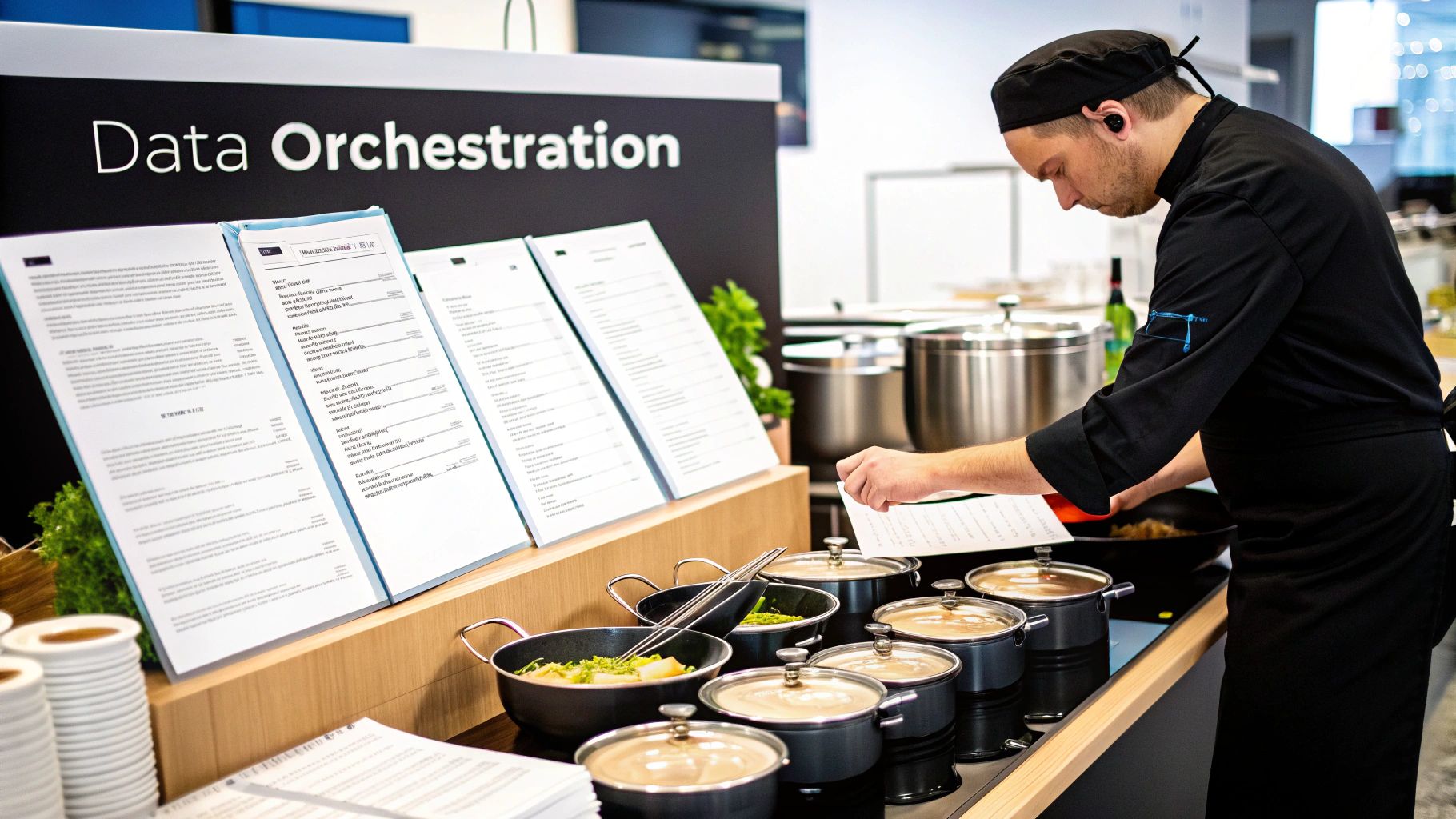
Think of it like being a master chef in a busy kitchen. You wouldn’t just set a bunch of separate timers and hope for the best, right? The steak would be cold by the time the potatoes were peeled. That’s what running data jobs without orchestration feels like—pure chaos.
Data orchestration is that master chef. It doesn’t just start tasks; it intelligently directs the entire “recipe” from start to finish. For example, the potatoes have to be boiled before they can be mashed. Orchestration gets that. It understands these dependencies and makes sure everything happens in the correct sequence.
And if the oven suddenly turns off? The chef doesn’t just let the meal burn. They know to restart it, or if that fails, to call for help. That’s the kind of resilience orchestration brings to your data pipelines.
Moving Beyond Simple Timers: Orchestration vs. Scheduling
This is where we draw a clear line between orchestration and basic scheduling. A simple scheduler, like a cron job on a server, is just a dumb timer. It fires off a script at 2 a.m. and its job is done, no matter what happened before or what needs to happen next.
Orchestration is the brains of the operation. It’s built to handle the messy reality of data workflows.
- Task Dependencies: It ensures Task B won’t even think about starting until Task A has finished successfully.
- Failure Handling: If a task fails, it can automatically retry it a few times or send an alert to your team’s Slack channel.
- Parallel Processing: It can run multiple independent tasks at the same time, which is a huge time-saver.
- Conditional Logic: It can even run different steps based on the outcome of a previous task.
To make this distinction crystal clear, here’s a quick breakdown:
Orchestration vs. Scheduling: A Quick Comparison
| Concept | Primary Function | Handles Complexity | Example |
|---|---|---|---|
| Scheduling | Triggering tasks at a specific time or interval. | Low. It’s a fire-and-forget mechanism. | A cron job that runs a Python script every night at midnight. |
| Orchestration | Managing the entire end-to-end workflow and its logic. | High. It manages dependencies, retries, and failures. | An Airflow DAG that loads data, runs dbt models, and then sends a completion notice. |
This ability to manage complexity is why orchestration has become a non-negotiable part of any modern data stack.
The market reflects this reality. The AI orchestration market alone is expected to skyrocket from around $11 billion in 2025 to over $30 billion by 2030. Companies that adopt these platforms are seeing efficiency gains of up to 30%. You can dig into a full market analysis on the drivers of this growth to see just how critical this technology has become.
In short, orchestration is what brings reliability and intelligence to your pipelines. It’s how you guarantee your data “dishes” are always served perfectly and right on time.
The Building Blocks of Every Data Workflow
So, what exactly is data orchestration under the hood? To really get it, we need to move past the buzzwords and look at the core components that make it all work. These are the fundamental ideas that let orchestration tools wrangle complex processes and transform a jumble of scripts into a reliable, automated system.
Think of them as the grammar of your data pipelines. Each piece plays a specific role, from laying out the workflow’s structure to making sure it can bounce back when things inevitably go wrong.
Directed Acyclic Graphs: The Workflow Blueprint
At the heart of just about every modern orchestration tool is the Directed Acyclic Graph, or DAG. It sounds a lot more intimidating than it is. Really, it’s just a smart way to draw a map of your entire workflow.
Let’s break it down:
- Directed: Each step points to the next, creating a clear, one-way street for your data. You extract the data, then you clean it, then you load it. No confusion.
- Acyclic: The workflow never circles back on itself. It has a distinct beginning and a definite end, which is crucial for preventing a job from running in an infinite loop forever.
- Graph: It’s simply a network of nodes (your individual tasks) connected by edges (the dependencies between them).
The DAG is your master plan. It tells the orchestrator, “Run Task A, and only when it’s done and successful, go ahead and kick off Tasks B and C.” This logical structure is what elevates true orchestration far beyond simple cron jobs or basic schedulers.
Task Dependencies: The Rules of Engagement
If the DAG is the map, then task dependencies are the turn-by-turn directions. These are the specific rules that govern the relationships between each step. A dependency simply says, “Don’t even think about starting this task until that other one is successfully finished.”
For example, you can’t possibly calculate your monthly recurring revenue (MRR) until you’ve successfully pulled the latest subscription data from Stripe into your warehouse. A dependency makes sure this order of operations is always followed, preventing you from accidentally sending out a report based on stale, incomplete data. It’s a simple concept, but it’s absolutely critical for maintaining data integrity.
Automated Retries and Idempotency: The Safety Nets
Let’s be honest: data pipelines are brittle. APIs time out, networks get flaky, and databases hiccup. Without a good safety net, any of these tiny, temporary glitches could bring your entire workflow to a screeching halt, paging you at 3 a.m. to fix it.
This is where two powerful concepts save the day:
- Automated Retries: This is exactly what it sounds like. Your orchestrator can be configured to automatically try a failed task again. You might tell it, “If this API call fails, wait five minutes and try again. Do this up to three times before you give up.” This simple feature handles a massive number of transient errors without anyone having to lift a finger.
- Idempotency: This is a fancy word for a simple, vital idea: running the same task multiple times has the same effect as running it just once. Imagine a task that inserts new user sign-ups into a table. If that task fails halfway through and gets retried, a poorly designed (non-idempotent) process would create duplicate user records. An idempotent task, on the other hand, is built to handle this—maybe by using an
UPSERTcommand to either insert a new record or update an existing one. No duplicates, no mess.
Together, retries and idempotency build resilience. Retries solve the “when” of failure recovery, while idempotency solves the “what,” making sure the recovery process doesn’t accidentally corrupt your data.
Finding the Right Orchestration Tool for Your Team
Choosing a data orchestration tool is a big deal. It’s not about picking the trendiest name on the market; it’s about finding the right fit for your team’s skills, your company’s budget, and the actual workflows you need to run. Pick the right one, and you’ll have reliable, easy-to-manage data pipelines. Pick the wrong one, and you’ll be buried in maintenance tickets and fighting fires all day.
The options out there cover a huge spectrum. On one end, you have heavy-duty, code-first platforms built for massive scale. On the other, you have slick, low-code tools that let you build pipelines with a drag-and-drop interface. The trick is to be honest about what you really need.
The Major Players: A Quick Tour
As you start looking around, you’ll see a few names pop up again and again. Each one tackles the same core problem—managing complex workflows—but with a different philosophy and approach.
- Apache Airflow: This is the open-source giant. Airflow is incredibly powerful and flexible, with a massive community behind it. Its “everything-as-code” philosophy, where you define your pipelines (DAGs) in Python, makes it the go-to for engineering-first teams who want total control and infinite customization.
Here’s a peek at the Airflow UI. This is basically the command center where you can see how your pipelines are running, check task statuses, and dig into logs.
This visual overview is essential for monitoring the health of your pipelines and quickly tracking down any issues that pop up.
- Prefect: Often seen as the modern, more flexible alternative to Airflow. Prefect really shines when it comes to handling dynamic workflows that might change based on what happens at runtime. If you find Airflow’s structure a little too rigid for your needs, you’ll probably love Prefect.
- Dagster: Dagster’s big idea is to focus on “data assets.” Instead of just thinking about running tasks, it pushes you to think about the things your pipelines create—like a new table in your warehouse or a trained machine learning model. This asset-first approach gives you amazing data lineage and makes your whole data ecosystem easier to understand.
- n8n: This one is a fantastic low-code, node-based tool. If your goal is to connect a bunch of different APIs and services without writing a ton of custom code, n8n is perfect. It’s great for automating simpler, more linear tasks and empowering people on your team who aren’t full-time developers.
For a side-by-side breakdown of these tools and a few others, check out our guide on the best data orchestration tools.
How to Make the Right Choice
It’s not just you trying to figure this out. The market for these tools is growing fast. North America currently leads the pack, and security-conscious industries like finance and healthcare often prefer private cloud deployments, which make up about 41.2% of the market. While large companies have been the main adopters, cloud-based tools are growing at over 21% a year, making orchestration more accessible to everyone. You can explore detailed market trends and forecasts to see where things are headed.
The best tool isn’t the one with the most features; it’s the one your team will actually use effectively. A powerful, code-first tool like Airflow is wasted on a team that needs a visual, low-code interface.
Before you commit, ask yourself a few honest questions:
- What are our team’s skills? Does your team write Python in their sleep, or would a drag-and-drop UI be a much faster way to get things done?
- How complex are our workflows? Are you just syncing data from an API to a database, or are you managing a tangled web of interdependent machine learning models?
- What kind of scale are we talking about? Think about your data volumes and how many tasks you’ll need to run at the same time, both now and a year from now.
At the end of the day, a clear understanding of your team’s real-world needs will point you straight to the right tool.
How Orchestration Powers Real-World Data Pipelines
Okay, the theory is great, but let’s get real. What does data orchestration actually do? This isn’t just some abstract concept for data engineers to debate—it’s the engine that makes reliable, automated data workflows possible. It’s what keeps the lights on for business decisions every single day.
From keeping sales data fresh in your warehouse to powering complex analytics, orchestration is the magic that turns a messy collection of standalone scripts into a cohesive, dependable system.
Let’s walk through a few concrete examples to see how different orchestration patterns solve real-world problems. These scenarios show how orchestration manages everything from a simple data sync to the kind of complex, multi-stage process that modern businesses are built on.
Orchestrating a Change Data Capture Pipeline
A classic and absolutely critical use case is keeping a data warehouse like Snowflake in sync with a production system like Salesforce. Your analytics team needs fresh customer, opportunity, and account data, but copying entire tables over and over is painfully slow and expensive. That’s where Change Data Capture (CDC) comes in.
A CDC process is smart. It only grabs the changes—new records, updates, and deletions—from the source. Orchestration is what makes this process fire off reliably every time.
- Task 1: Capture Changes: A task kicks off a CDC tool (like Fivetran or a custom script) to pull just the latest changes from the Salesforce API.
- Task 2: Load to Staging: Once the capture is complete, a second task takes that raw change data and dumps it into a staging area in Snowflake.
- Task 3: Merge into Production Tables: Finally, a task runs a
MERGEstatement in Snowflake. This intelligently applies the new, updated, and deleted records to your main production tables, bringing them perfectly in sync.
The orchestration tool is the conductor here. It makes sure the merge only happens after the data has landed safely in staging. If the first API call to Salesforce fails, the orchestrator automatically retries it, preventing a temporary network glitch from derailing the entire pipeline. This is a foundational pattern, and you can learn more about how to build a data pipeline like this from scratch.
Automating dbt Core Workflows
For any team that relies on dbt for data transformations, orchestration is what separates a development toy from a production powerhouse. Sure, you can run dbt run from your command line, but in a real production environment, you need a system to trigger runs on a schedule, handle failures gracefully, and connect dbt to the rest of your data stack.
Orchestration takes dbt from a powerful command-line tool to a fully automated, production-grade transformation engine. It’s the difference between having a recipe and having a fully staffed kitchen that cooks the meal for you every night.
A common orchestrated dbt workflow looks something like this:
- Task 1 (
dbt run): The orchestrator kicks off the main dbt job, running all of your SQL models in the right order and materializing them as tables or views in your warehouse. - Task 2 (
dbt test): As soon as the run succeeds, the next task triggersdbt test. This is your data quality gatekeeper, checking for nulls, uniqueness, and referential integrity. - Task 3 (
dbt docs generate): Finally, a third task runs to generate fresh documentation, keeping your data catalog up-to-date automatically.
The real beauty? If a dbt test fails, the orchestrator can immediately halt the pipeline and shoot an alert to your team on Slack. This prevents bad data from ever making its way into the dashboards your CEO is looking at.
Powering a RevOps Reverse ETL Use Case
This is where it all comes together. Imagine a Revenue Operations (RevOps) team that needs to push a calculated “lead score” back into Salesforce to help the sales team focus on the hottest prospects. This isn’t just one pipeline; it’s a full, end-to-end workflow that absolutely depends on orchestration.
The entire process involves coordinating multiple distinct pipelines:
- CDC Pipeline: First, the CDC pipeline we talked about runs, making sure the latest Salesforce and product usage data has landed in Snowflake.
- dbt Pipeline: Next, the orchestrated dbt workflow kicks off. It joins the raw data, applies the business logic to calculate a predictive score for each lead, and saves the results in a clean “scores_to_sync” table.
- Reverse ETL Pipeline: The final pipeline triggers a reverse ETL tool (like Census or Hightouch). This tool simply reads that “scores_to_sync” table and pushes the updated lead scores back into the correct contact records in Salesforce.
Without orchestration, trying to coordinate these three systems would be a nightmare of cron jobs, manual checks, and late-night calls. With it, the entire flow—from raw data in a database to an actionable insight in a salesperson’s hands—becomes a single, automated, and observable process.
Choosing the right orchestration tool really comes down to your team’s skills and the scale of your projects. This graphic gives you a simple way to think about it.
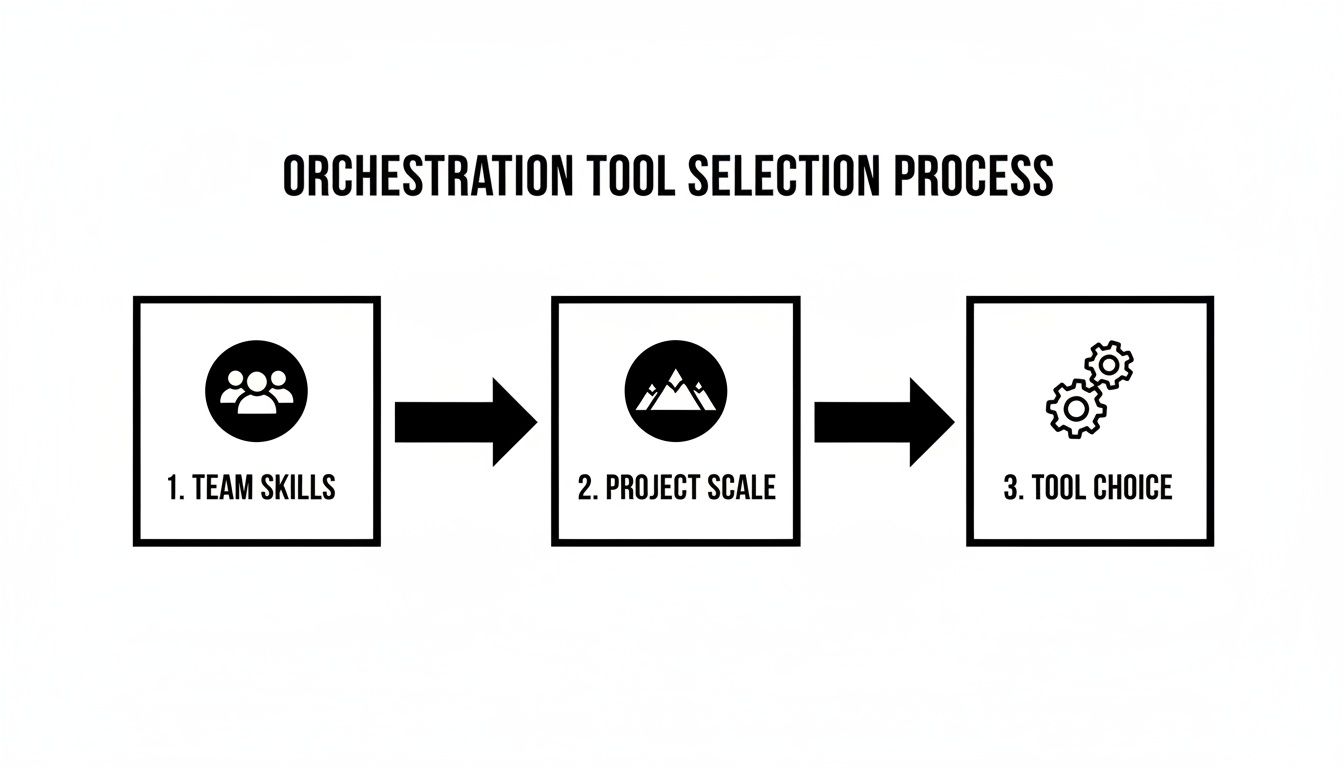
Ultimately, you’re trying to find the sweet spot between what your team already knows and what the future complexity of your data pipelines will demand.
Best Practices for Building Pipelines That Don’t Break
Anyone can cobble together a script to move data. But building a pipeline you can actually trust day in and day out? That’s a whole different ball game. Professional data engineering is less about just getting data from A to B and more about building resilient, predictable workflows that don’t crumble under pressure or wake you up with a frantic alert at 3 AM.
Adopting a few battle-tested best practices is what turns a fragile process into a production-grade asset. These are the hard-won lessons that separate the pros from the novices, ensuring your orchestrated pipelines are a source of value, not constant headaches.
Embrace Full-Stack Observability
Let’s be honest: you can’t fix what you can’t see. Observability is the eyes and ears of your pipeline, a combination of logging, monitoring, and alerting that paints a complete picture of its health. It’s about getting ahead of problems, not just reacting after the fact.
- Logging: Every single task in your pipeline needs to produce detailed logs. When something breaks, the logs should scream exactly why it failed, complete with a clear error message and traceback. No more guessing games.
- Monitoring: Keep an eye on the vital signs. How long does each task usually run? How much data is it chewing through? Sudden spikes or dips in these metrics are your early warning system.
- Alerting: Set up smart alerts that ping your team on Slack or PagerDuty when something actually needs a human’s attention. This isn’t about getting spammed for every minor hiccup; it’s for critical failures that are about to ruin someone’s dashboard.
Go Beyond Simple Retries with Smart Error Handling
Automated retries are a lifesaver for transient issues like a momentary network blip, but they’re a blunt instrument. They can’t fix everything. True resilience comes from planning for different kinds of failure. If a pipeline fails because of bad data from a source system, hammering it with retries is just a waste of time and compute.
A well-orchestrated pipeline uses conditional logic. For example, if a data quality check fails, the pipeline should instantly halt that branch, fire off an alert with a sample of the bad data, and let the rest of the workflow proceed if possible. This simple step prevents one bad record from grinding your entire data operation to a halt. For a deeper dive, check out these data integration best practices that will make your pipelines bulletproof.
A pipeline’s true strength isn’t measured by how often it succeeds, but by how gracefully it handles failure. Smart error handling is the difference between a minor delay and a major data outage.
Test Your Pipelines Like You Test Your Code
You wouldn’t push application code to production without testing it, so why would you treat your data pipelines any differently? It’s time to start treating your pipelines as the critical software they are. This means getting serious about testing: running data quality checks on incoming data, validating the business logic in your transformations, and checking the final output against a known-good dataset.
Use Version Control for Everything
Finally, your entire orchestration setup—the DAG definitions, SQL scripts, Python code, and config files—belongs in a version control system like Git. This is absolutely non-negotiable.
When you treat your pipelines as code, you get a full audit trail of every single change. It makes collaborating with teammates a breeze and ensures your workflows are always reproducible. When something inevitably breaks, you can instantly see what changed and roll it back. This discipline is the bedrock of any scalable, maintainable data engineering culture.
Your First Steps into Data Orchestration
So, where do you go from here? We’ve unpacked a lot, but the main takeaway is this: data orchestration is the brain of your data operations. It’s what turns a jumble of disconnected scripts and processes into a reliable, self-healing workflow that you can actually trust. It’s the leap from fragile cron jobs to a truly intelligent data platform.
The real magic isn’t just about scheduling tasks. It’s about understanding the intricate dance between them, gracefully handling the inevitable failures, and ultimately, making sure your data is always on time and accurate.
Ready to dive in? My best advice is to start small. Don’t try to boil the ocean.
The path to a powerful, automated data platform doesn’t start with a grand redesign. It starts with orchestrating a single, critical workflow and doing it well.
Pick one process that’s a constant headache—maybe a manual daily data sync or a report that’s always a pain to run. This is your pilot project.
Next, choose a tool that fits your team’s comfort zone. If you’re a Python-heavy shop, something like Airflow or Dagster might feel natural. If your team prefers a more visual, low-code approach, a tool like n8n could be a perfect fit.
From the very beginning, commit to the good habits we discussed. Get your workflow into version control, add some simple data quality tests, and make sure you have basic monitoring in place.
By taking these first, deliberate steps, you’ll build more than just a pipeline. You’ll build the foundation—and the confidence—for creating the kind of resilient, automated data systems that a modern business can’t live without.
Frequently Asked Questions About Data Orchestration
Let’s tackle some of the common questions that pop up when teams first start digging into what data orchestration actually means for their day-to-day work.
How Is Orchestration Different from Automation?
This is a fantastic and super common question. The two terms get thrown around a lot, but the difference is key. Automation is all about making a single, isolated task run by itself. Think of a simple script that automatically copies a file from one place to another every hour.
Orchestration, on the other hand, is the art of coordinating multiple automated tasks into a single, intelligent workflow. It’s the conductor of the data symphony.
Here’s an analogy I like: An automated oven can bake a cake. That’s a single task. An orchestrated kitchen, however, coordinates the mixer, the oven, and the person frosting the cake to produce a finished, decorated dessert. It knows the mixer has to finish before the oven can start, and it can handle things if the oven suddenly turns off.
Do I Need Orchestration for Simple Pipelines?
For a single script that just needs to run every night at 2 AM, a basic scheduler like a cron job is probably all you need. It’s simple and it works.
But the second that script’s success depends on another job finishing first, or if you need it to automatically retry a few times when it fails, you’ve officially entered the world of orchestration.
Most “simple” pipelines have a funny way of getting complicated over time. Starting with a real orchestration tool, even for small jobs, can save you from a world of migration headaches down the road.
Can Orchestration Tools Handle Real-Time Data?
Yes, but with a few caveats. It really depends on the tool and what you mean by “real-time.”
Most classic orchestration tools like Airflow were built for batch workflows—jobs that run on a set schedule. However, modern platforms are much more flexible and can be triggered by events, like a new file landing in a bucket. This gets you closer to real-time.
For true, ultra-low-latency stream processing, you’d typically reach for specialized tools like Apache Flink or Kafka Streams. But your orchestrator still plays a vital role in managing the batch jobs that might consume, aggregate, or analyze data from those streams.
Ready to stop wrestling with broken pipelines and manual fixes? The expert engineers at RevOps JET build, monitor, and maintain production-grade data orchestration for a flat monthly fee. Learn more at revopsjet.com.